

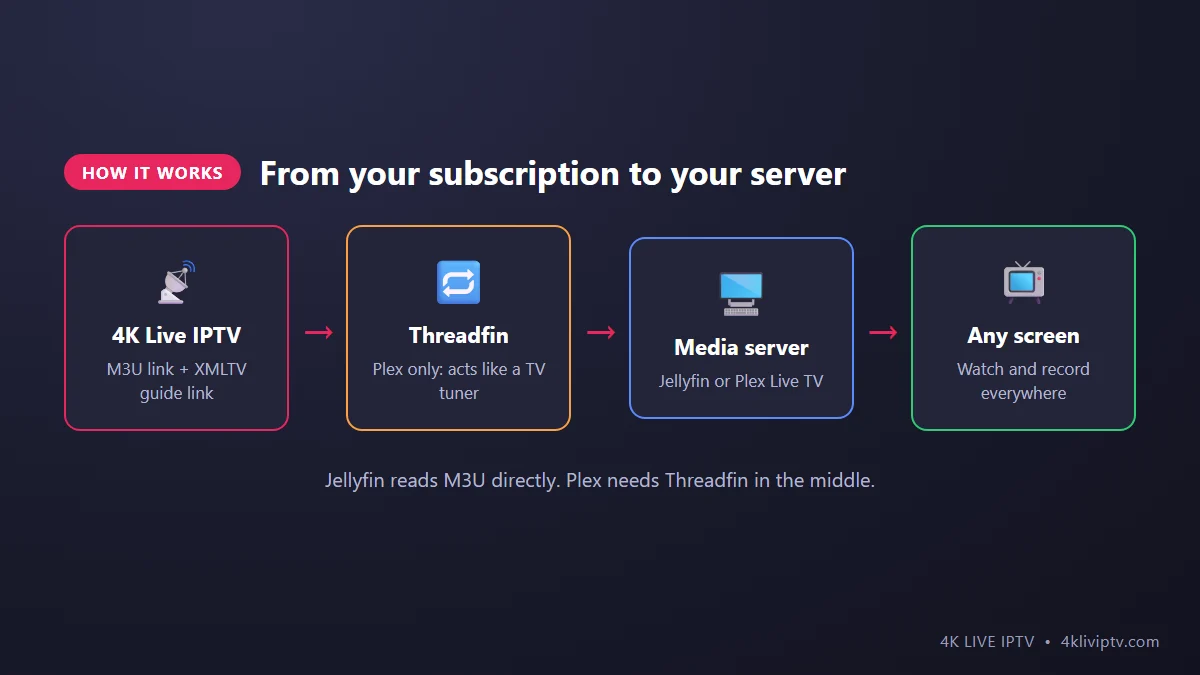
If you already run a home media server, you can bring 4K Live IPTV into it. Your live channels then sit right next to your movie library, with a TV guide, and you can record shows to your own hard drive and watch them on any device in the house. This is a guide for people who are comfortable with Jellyfin or Plex. If that’s not you, a simpler player like TiviMate will do everything you need.

What You Need
- A computer, NAS or mini PC running Jellyfin or Plex Media Server, on all the time.
- Your 4K Live IPTV M3U link (the playlist address with your username and password inside).
- Your XMLTV EPG link for the TV guide. On most Xtream-based services it follows this pattern:
http://server:port/xmltv.php?username=XXX&password=YYY. Our support team can send you both links. - For Plex: a Plex Pass (Live TV & DVR is a Plex Pass feature) and Threadfin, a free tool that makes your IPTV playlist look like a TV tuner to Plex.
Part 1: Jellyfin (The Easy Way)
Jellyfin supports IPTV natively and is completely free, including the DVR.
Add the tuner
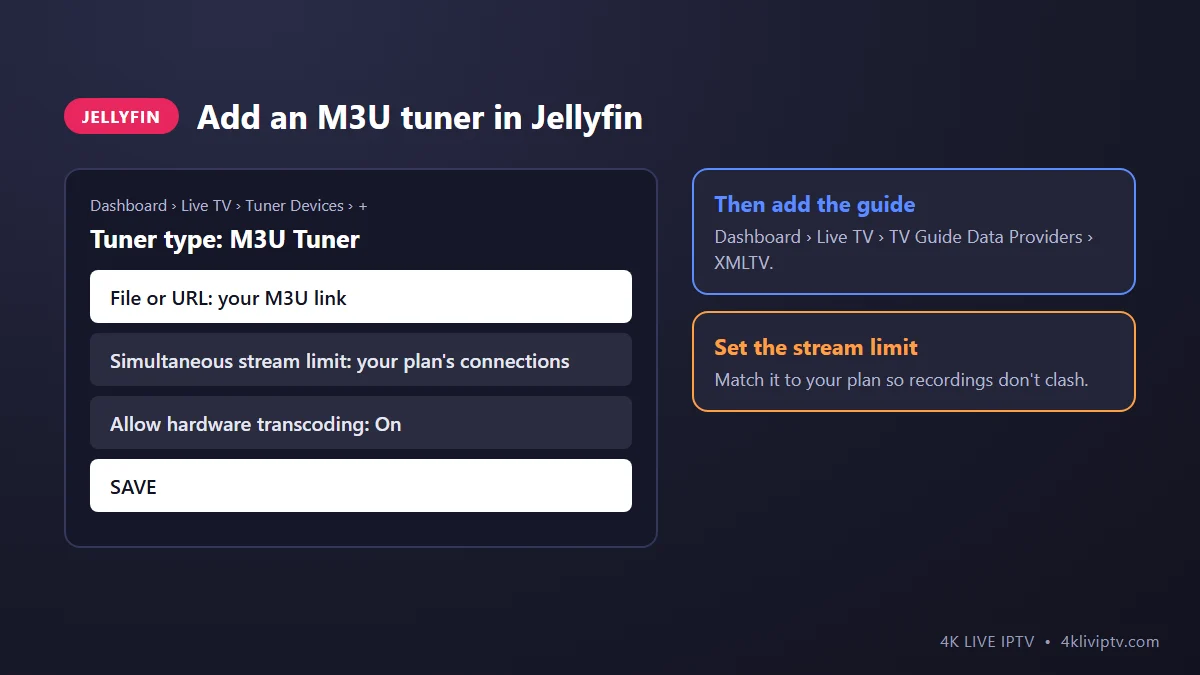
- Open the Jellyfin web interface and go to Dashboard › Live TV.
- Under Tuner Devices, click the plus button and choose M3U Tuner.
- Paste your 4K Live IPTV M3U link in the File or URL field.
- Set the simultaneous stream limit to the number of connections in your plan. This stops Jellyfin from opening more streams than your subscription allows when you record and watch at the same time.
- Save.
Add the TV guide
- On the same page, under TV Guide Data Providers, click plus and choose XMLTV.
- Paste your XMLTV link and save.
- Click Refresh Guide Data. The first refresh can take several minutes with a large channel list.
Tip: a full playlist with tens of thousands of channels is heavy for a home server. Ask our team for a playlist limited to the categories you actually watch (for example US channels and sports only). Jellyfin will load faster and the guide becomes much easier to browse.
Part 2: Plex Live TV & DVR (With Threadfin)
Plex doesn’t accept M3U playlists directly. It expects a TV tuner, like an HDHomeRun. Threadfin solves that by pretending to be one.
Set up Threadfin
- Install Threadfin (it runs on Windows, Mac, Linux or in Docker) on the same network as your Plex server.
- Open its web interface, and in the playlist settings add your M3U link. Set the tuner count to your plan’s number of connections.
- In the XMLTV settings, add your XMLTV EPG link.
- In the Mapping section, activate the channels you want and link each one to its guide data. Start with a small selection, like your top 50 channels.
Connect Plex
- In Plex, go to Settings › Live TV & DVR › Set up Plex DVR.
- Plex should detect Threadfin as a tuner. If not, enter Threadfin’s address manually.
- When Plex asks for a guide, choose to use the XMLTV guide and enter Threadfin’s XMLTV address.
- Finish the wizard. Your channels appear under Live TV in every Plex app.
Jellyfin or Plex?
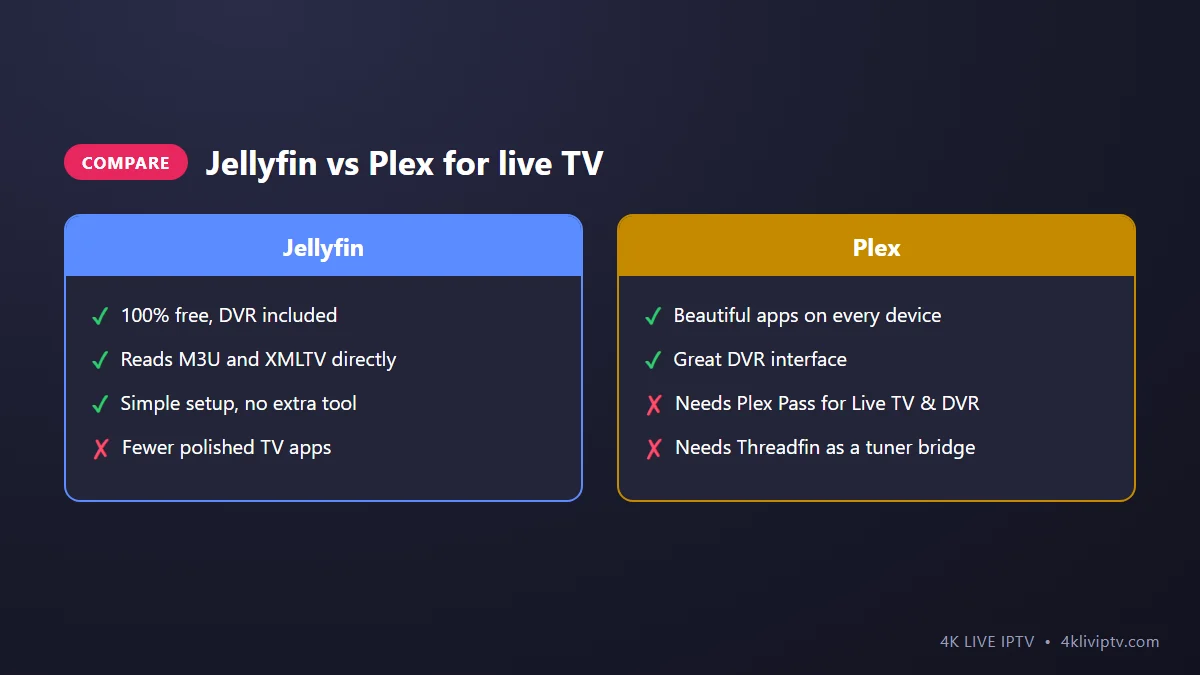
If you are starting from zero, Jellyfin is easier for IPTV and costs nothing. If your family already uses Plex everywhere, the Threadfin setup is worth the extra hour, because the Plex apps are excellent on TVs, phones and game consoles.
Tips for a Smooth Setup
- Connect the server by cable. It is receiving the stream and sending it again to your TV, so the network needs to be solid. Our internet speed guide explains the numbers.
- Use hardware transcoding if your server has a supported graphics chip. Otherwise, set your apps to play the original quality to avoid heavy CPU use.
- Mind your connections. Watching one channel while recording another uses two connections on your plan.
- Refresh the guide daily (both apps can schedule it) so recordings start at the right time.
Frequently Asked Questions
Can I record 4K channels?
Yes. Recordings are saved in the original quality, so 4K recordings take a lot of disk space, roughly 10 GB or more per hour.
Why does Plex say “No tuners found”?
Plex can’t see Threadfin. Check that both are on the same network, that Threadfin is running, and try adding its IP address and port manually.
Is this better than using TiviMate?
Not better, just different. A media server is great if you want recordings available on every device in the house. For simple live TV on one or two TVs, TiviMate is quicker to set up. Compare players in our player guide.
Does this work with a 1-device plan?
It works, but you can only watch or record one channel at a time. For a DVR setup, a plan with 2 or 3 connections is more comfortable. See the plans.
Final Word
With an M3U link and an XMLTV guide, 4K Live IPTV fits neatly into Jellyfin, and with Threadfin into Plex too. You get live TV, a real guide and your own DVR on every screen at home. If you would like a lighter playlist or your EPG link, just message our team on WhatsApp.
Need help with your IPTV?
Our team is available 24/7 to help you install and use your subscription on any device.
CONTACT US ON WHATSAPP