4K Live IPTV works perfectly on Samsung and LG Smart TVs, and you don’t need an extra box or a Firestick to start watching. All you need is the right IPTV app from your TV’s store and a few minutes to set it up. The hard part is choosing the app: there are many players, they don’t all work on every TV, and some are much better than others.
In this guide we explain, in simple words, which IPTV apps work best on Samsung and LG Smart TVs in 2026, how to install them, how to activate them, and which one we recommend for your TV model.
Can You Watch 4K Live IPTV on a Smart TV Without a Box?
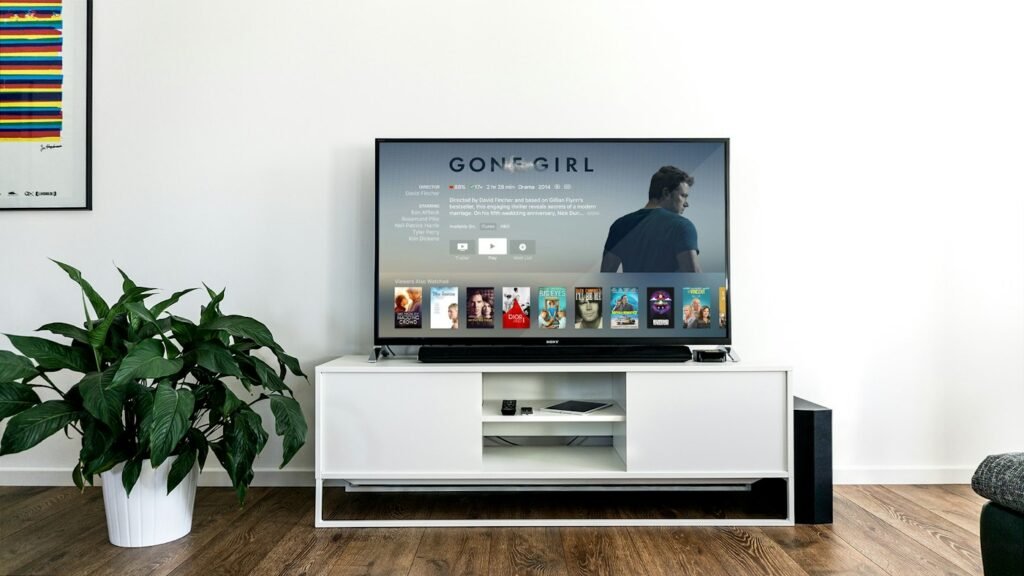
Yes. Samsung Smart TVs run on Tizen and LG Smart TVs run on webOS. Both systems have their own app store, and both stores offer IPTV player apps. You install the player on the TV, connect it to your 4K Live IPTV subscription, and the channels appear directly on your screen.
An IPTV app is only a player. It does not include any channels by itself. The channels, movies and series come from your subscription. That is why you always need two things: a player app and an active plan.
Quick Comparison: Best IPTV Apps for Samsung & LG
| App | Samsung | LG | How you log in | Best for |
|---|---|---|---|---|
| IBO Player | Yes | Yes | MAC address + device key | Most users, modern TVs |
| IPTV Smarters | Depends on region | Depends on region | Username, password, URL | Simple Xtream Codes login |
| Smart IPTV | Yes | Yes | MAC address | Older TVs |
| Set IPTV | Yes | Yes | MAC address | Light and fast on older models |
App availability can change depending on your TV model, the year it was made and your country. Always search your TV’s store first.
1. IBO Player: Our Top Pick for 4K Live IPTV
IBO Player is the app we recommend to most 4K Live IPTV customers with a Samsung or LG Smart TV. It has a clean and modern interface, a good TV guide (EPG), separate sections for live TV, movies and series, and it handles 4K streams very well on recent TVs.
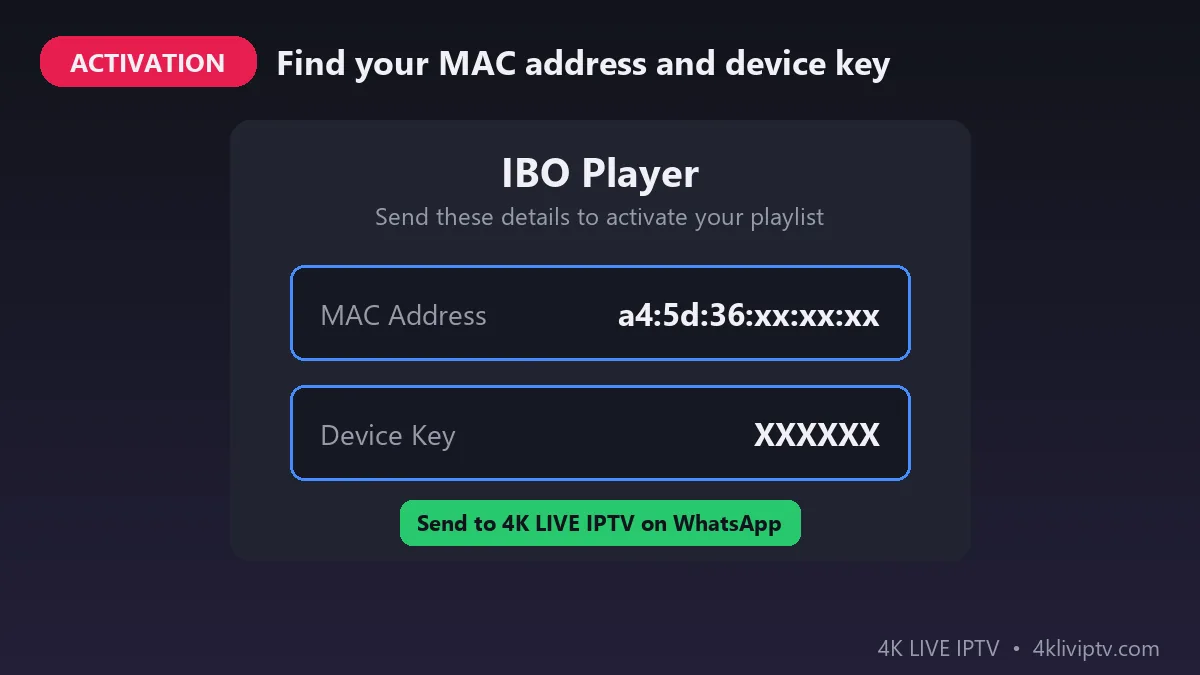
How it works: when you open IBO Player for the first time, it shows a MAC address and a device key on the screen. You send these two codes to our support team on WhatsApp, and we link your 4K Live IPTV playlist to your TV. You don’t need to type any long URL with the remote.
- Pros: modern design, fast zapping, good EPG, favorites list, works on Samsung and LG.
- Cons: after the free trial period, the app developer asks for a small one-time activation fee.
2. IPTV Smarters: The Easiest Login
IPTV Smarters is one of the most popular IPTV players in the world. If it is available in your TV’s store, it is the simplest way to connect: you choose Login with Xtream Codes API and type the username, password and server URL you received from 4K Live IPTV.
- Pros: very easy to use, well known, clear menus for live TV, movies and series.
- Cons: it is not available on every Samsung or LG model, and typing the login with the TV remote takes a little patience.
Not sure what the difference is between the two login methods? Read our guide on M3U vs Xtream Codes.
3. Smart IPTV and Set IPTV: Best for Older TVs
Smart IPTV and Set IPTV are older players that have been around for many years. They are light and fast, so they are a good choice if your TV is from before 2019 and feels slow with modern apps. Like IBO Player, they use your TV’s MAC address to load the playlist.
- Pros: light, stable, work on many older Samsung and LG models.
- Cons: simpler design, fewer features, and a small one-time activation fee after the trial.
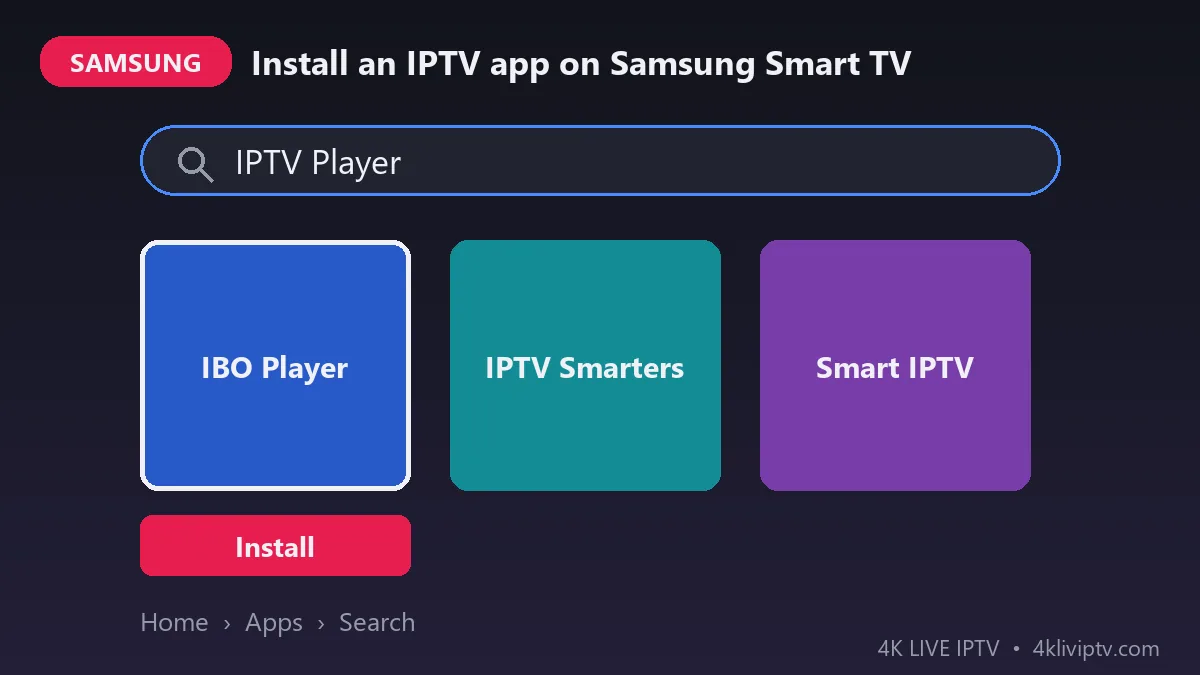
How to Install an IPTV App on Samsung Smart TV
- Press the Home button on your Samsung remote.
- Go to Apps and select the search icon.
- Type the name of the app, for example IBO Player.
- Select the app and click Install.
- Open the app and write down the MAC address and device key shown on the screen.
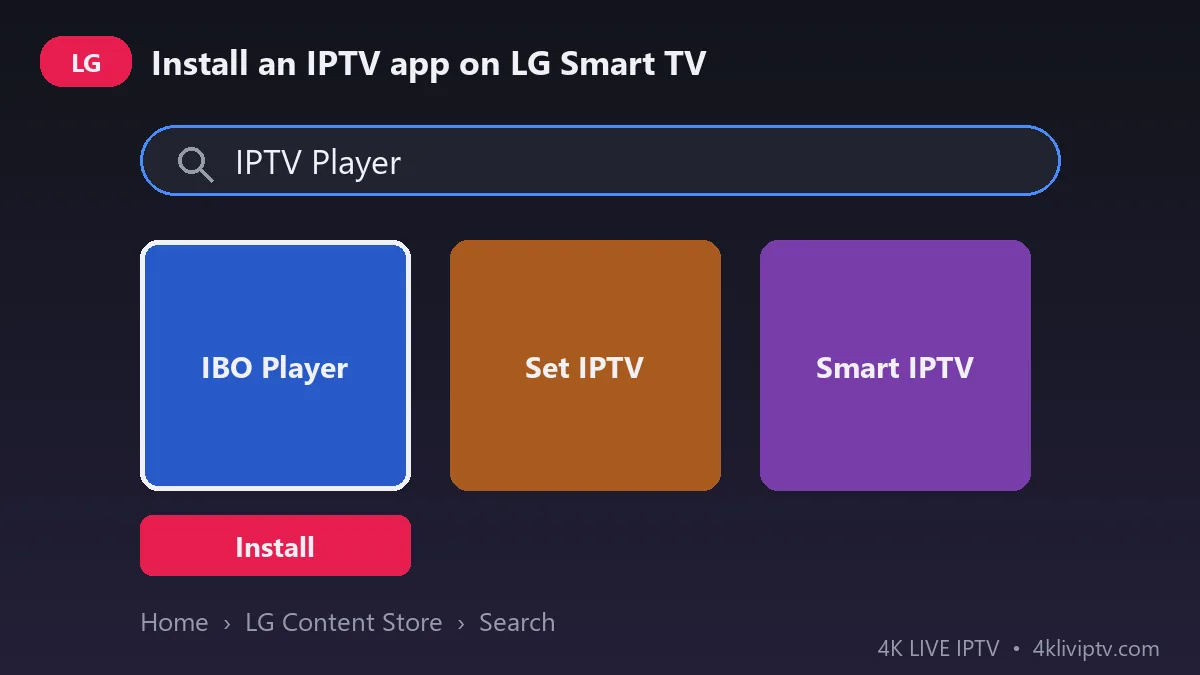
How to Install an IPTV App on LG Smart TV
- Press the Home button on your LG remote.
- Open the LG Content Store (called Apps on newer models).
- Search for the app, for example IBO Player or Set IPTV.
- Select it and click Install.
- Open the app and note the MAC address and device key.
How to Activate 4K Live IPTV on Your Smart TV
Once the app is installed, connecting your subscription takes only a few minutes:
- Choose your plan on our pricing page.
- Open the app on your TV and take a photo of the MAC address and device key.
- Send the photo to our team on WhatsApp.
- Restart the app. Your live channels, movies and series will load automatically.
If you use IPTV Smarters, you don’t need the MAC address: simply log in with the username, password and URL we send you after your order.
Which App Should You Choose for Your TV?
- Samsung or LG from 2020 or newer: IBO Player. It is the best balance of speed, design and features.
- You prefer typing a username and password: IPTV Smarters, if it is available on your model.
- Samsung or LG from 2016 to 2019: Smart IPTV or Set IPTV, which run smoothly on older hardware.
- Your TV is very old, or no app is available: use a Firestick. Follow our guide on how to install IPTV on Firestick.
Tips to Get the Best 4K Quality on Your Smart TV
- Use an Ethernet cable if you can. Smart TVs often have weaker Wi-Fi than a router or a Firestick.
- Check your internet speed. You need at least 25 Mbps for 4K. See what internet speed you need for 4K IPTV.
- Update your TV software from the settings menu to keep apps stable.
- Turn the TV off completely (unplug it for 30 seconds) once a week to clear the memory.
- Use the TV guide to find matches and shows quickly. Learn how to use EPG and Catch-Up TV.
Common Problems and Quick Fixes
I can’t find the app in my TV’s store: availability depends on the model and region. Try another app from the list above, or use a Firestick.
The playlist doesn’t load: check that you sent the correct MAC address and device key, then close and reopen the app.
Channels freeze or buffer: restart your router and TV, and use a cable if possible. Read our guide on how to fix IPTV buffering.
Frequently Asked Questions
What is the best IPTV app for Samsung Smart TV?
For most 4K Live IPTV customers, IBO Player is the best choice on Samsung. It is fast, modern and easy to activate with the MAC address.
What is the best IPTV app for LG Smart TV?
IBO Player is also our first choice on LG. On older LG models, Set IPTV or Smart IPTV can run more smoothly.
Are these IPTV apps free?
Most apps offer a free trial, then ask for a small one-time activation fee paid to the app developer. This fee is separate from your 4K Live IPTV subscription.
Can I watch 4K channels on my Smart TV?
Yes, if your TV supports 4K and your internet connection is at least 25 Mbps.
Can I use one subscription on my TV and my phone?
It depends on the number of connections in your plan. Check the details on our pricing page.
Conclusion
Watching 4K Live IPTV on a Samsung or LG Smart TV is simple: install IBO Player (or IPTV Smarters, Smart IPTV or Set IPTV), send us your MAC address, and start watching in minutes. For other devices, see our full installation guide. Not sure which app fits your TV? Send us your TV model on WhatsApp and we will recommend the best one for you.
Need help with your IPTV?
Our team is available 24/7 to help you install and use your subscription on any device.
CONTACT US ON WHATSAPP