
Your 4K Live IPTV subscription gives you the channels, but the app you watch them in decides how it feels: how fast channels change, how readable the TV guide is, whether you can record a game. And there are a lot of players out there. We help customers set up all of them every week, so here is our honest comparison of the ones that matter, and which one we would pick for each device.
First, What Does an IPTV Player Actually Do?
An IPTV player is an empty shell. It connects to your 4K Live IPTV account with your login (Xtream Codes or an M3U link), downloads the channel list and TV guide, and plays the streams. No player comes with channels. That also means you can switch players at any time with the same login, and try several before you settle on one.
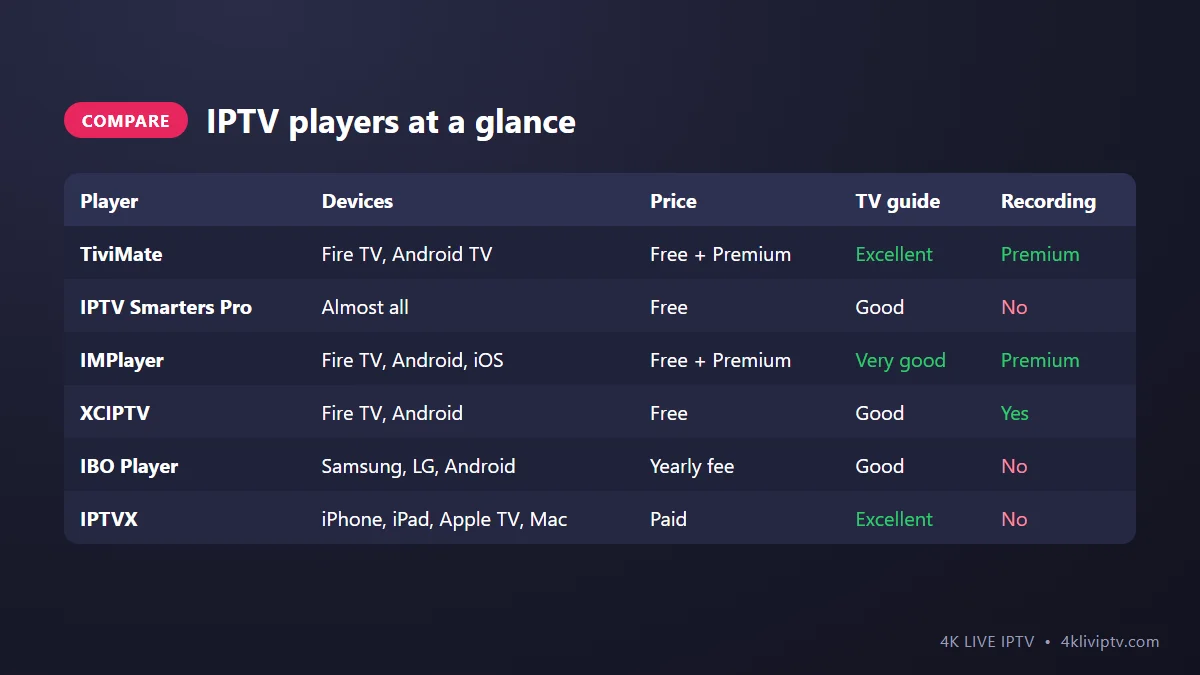
The Comparison Table
TiviMate: Best for TV Screens
Devices: Fire TV Stick, Fire TV Cube, Android TV and Google TV boxes, Nvidia Shield.
TiviMate is the closest thing to a premium cable box. The guide is clean, channel changes are quick, and the remote controls feel natural. The free version plays channels with the guide; Premium adds favorites, catch-up, recording and multi-view. If you watch on a Firestick or Android TV every day, this is our first recommendation. Full setup in our TiviMate guide.
Downsides: not available on iPhone, Samsung, LG or Roku. The best features need Premium.
IPTV Smarters Pro: Best All-Rounder
Devices: Android phones and boxes, Fire TV, iPhone and iPad (as Smarters Player Lite), Windows and Mac.
Smarters is the app most people start with because it runs nearly everywhere and is free. The home screen with big Live TV, Movies and Series tiles is easy for the whole family. It is not the fastest on a TV and the guide is basic compared with TiviMate, but it does the job reliably. See our Smarters setup guide.
Downsides: no recording, guide feels dated on big screens.
IMPlayer: The Modern Alternative
Devices: Fire TV, Android TV, Android phones, iPhone and iPad.
IMPlayer has a modern design, a good guide, and it works on both Android and Apple devices, which is rare. The premium version adds recording and removes limits. A good choice for households with a mix of Firesticks and iPhones who want the same app everywhere.
Downsides: some features are behind the premium subscription.
XCIPTV: Free and Feature-Packed
Devices: Fire TV and Android.
XCIPTV looks a bit busier than the others, but it is free and includes things others charge for, like recording and catch-up. It is a solid pick if you want features without paying for the app.
Downsides: the interface takes some getting used to.
IBO Player: Best for Samsung and LG TVs
Devices: Samsung (Tizen), LG (webOS), Android TV, and more.
Smart TVs from Samsung and LG cannot run TiviMate or Smarters, so you need an app from the TV’s own store. IBO Player is one of the most used. It works with a MAC address and device key, and after a free trial period it requires a small yearly activation fee. We cover it and the alternatives in our article on the best apps for Samsung and LG Smart TVs.
Downsides: setup via the website is less intuitive, activation fee after the trial.
IPTVX: Best on Apple Devices
Devices: iPhone, iPad, Apple TV, Mac.
A paid app with a beautiful design, fast guide and excellent handling of large channel lists. If your home runs on Apple, this is the one. More in our Apple TV guide and iPhone guide.
Downsides: Apple only, and paid.
Our Pick for Each Device
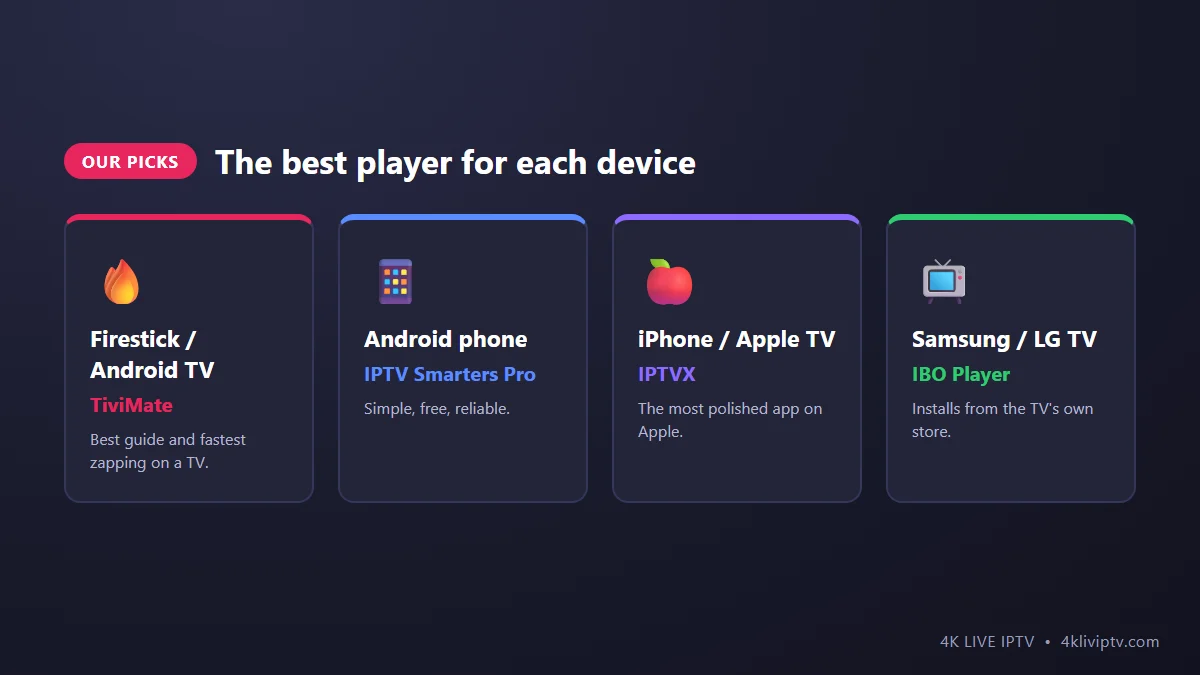
- Firestick, Fire TV Cube, Android TV, Google TV: TiviMate (with Premium if you watch daily).
- Android phone or tablet: IPTV Smarters Pro.
- iPhone, iPad, Apple TV: IPTVX, or Smarters Player Lite to start for free.
- Samsung or LG Smart TV: IBO Player (or plug in a Firestick and use TiviMate).
- Windows or Mac: IPTV Smarters Pro, or VLC for a quick stream. See our PC and Mac guide.
- Roku: none of these install on Roku. Read our Roku guide for the workarounds.
How to Choose If You’re Still Not Sure
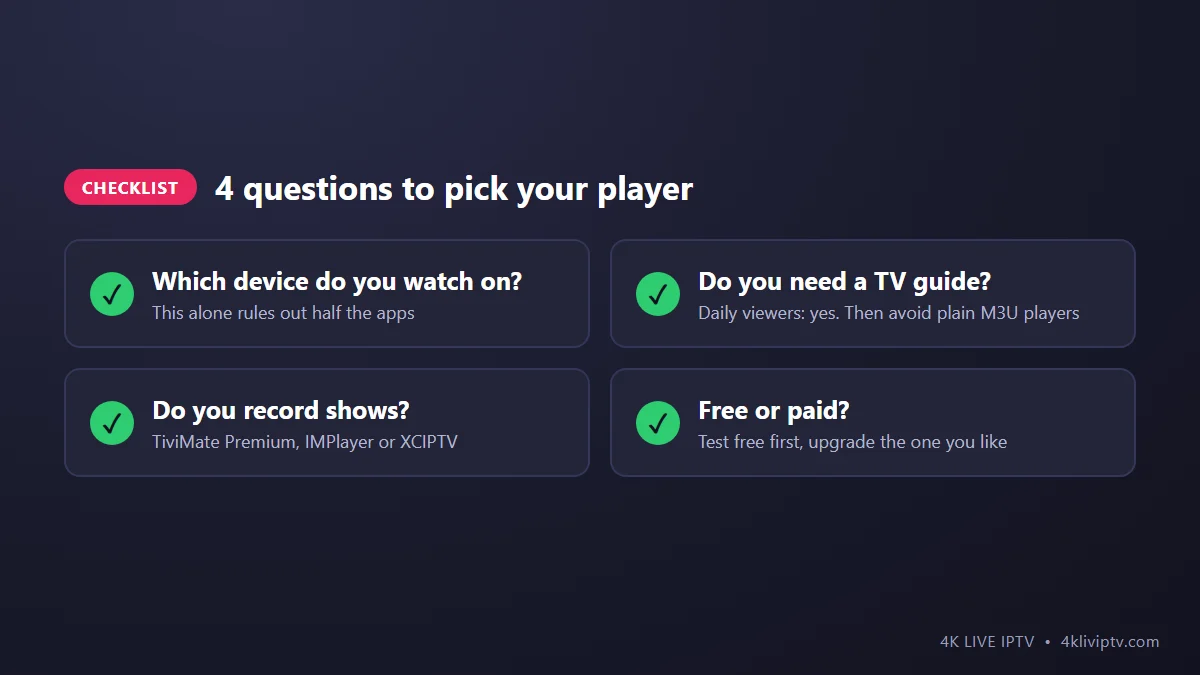
The simplest way is to try. Install two players on the same device, log in to both with your 4K Live IPTV details, and use each for an evening. Just don’t play in both at the same time, as each one uses a connection from your plan. Keep the one that feels right and delete the other.
Frequently Asked Questions
Which IPTV player has the best picture quality?
The picture comes from the stream, not the player, so a 4K channel looks the same in any good player. What differs is how smoothly they handle it on your device. On Firestick and Android TV, TiviMate with auto frame rate enabled usually gives the smoothest motion for sports.
Can I use the same login in two different players?
Yes. Your 4K Live IPTV login works in any player that supports Xtream Codes or M3U.
Are free players safe?
The well-known players listed here are widely used. Download them from official stores or their official websites, never from random links.
Do I need to pay for a player?
No. IPTV Smarters Pro and XCIPTV are free and work fine. Paid apps and premium versions add comfort features like recording and a nicer guide.
The Bottom Line
There is no single “best” player, only the best one for your device. On a TV, start with TiviMate. On phones and computers, Smarters. On Apple, IPTVX. On Samsung and LG, IBO Player. All of them work with your 4K Live IPTV login, so you can test freely. If you want a recommendation for your exact setup, just tell our team on WhatsApp what device you have.
Need help with your IPTV?
Our team is available 24/7 to help you install and use your subscription on any device.
CONTACT US ON WHATSAPP