
If you are tired of paying for a cable box you barely use, you have probably heard friends talk about 4K Live IPTV. Maybe someone showed you a Firestick with thousands of channels and you thought: how does that even work? This guide answers that in plain English. No tech background needed.
The question we get most often on WhatsApp is simple: “What exactly am I paying for?” So let’s start there.
What Is 4K Live IPTV? The Short Answer
4K Live IPTV is live television delivered over your internet connection instead of a cable line, a satellite dish or an antenna. You watch it through an app on a device you probably already own, like a Fire TV Stick, a Samsung or LG Smart TV, an Android box or your phone. Channels that support it play in 4K Ultra HD (3840 x 2160), the rest play in Full HD or HD.
“IPTV” stands for Internet Protocol Television. The “Internet Protocol” part just means the TV signal travels as internet data, the same way a YouTube video or a Zoom call does. If you want the long technical history, Wikipedia has a good overview. For everyday use, you only need to know what is below.
How Does 4K Live IPTV Work?
Think of it as four links in a chain:
- Channel servers. TV channels are captured, compressed and sent out as data streams.
- Your internet. Those streams travel over your home connection: fiber, cable internet or 5G home internet.
- A player app. An app like IPTV Smarters Pro, TiviMate or IBO Player receives the streams and organizes them into channel lists and a TV guide.
- Your screen. The app plays the channel on your TV, phone, tablet or computer.
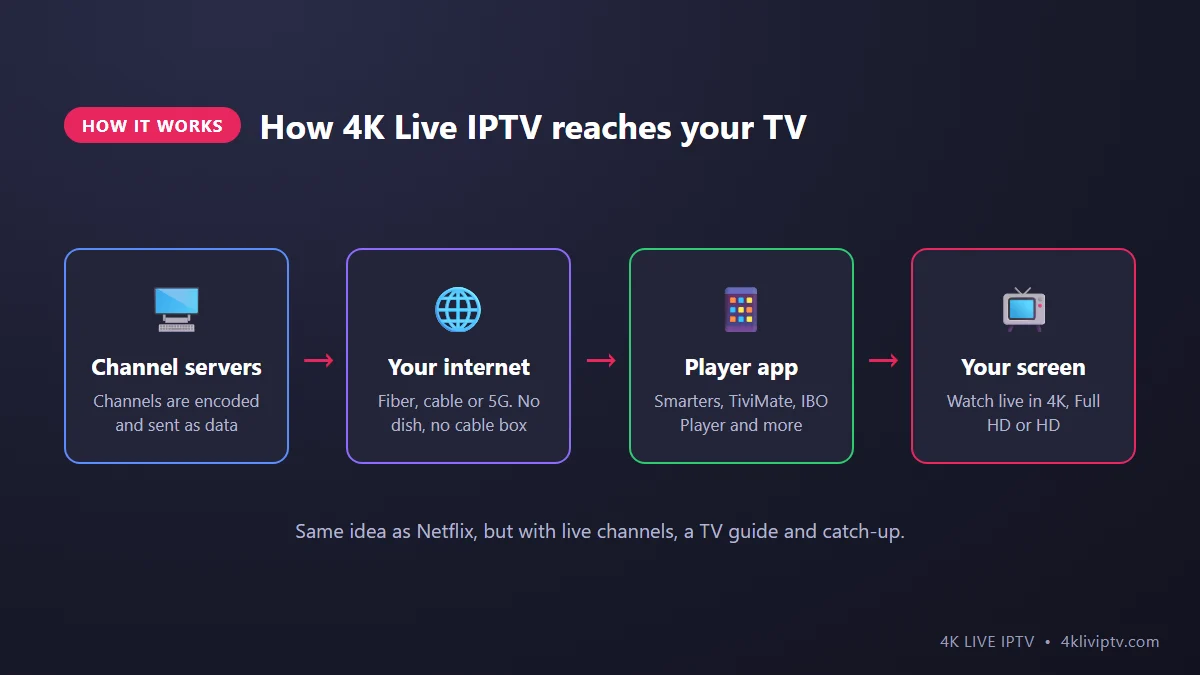
That’s really all there is to it. There is no dish to point at the sky and no technician coming to your house. If the chain breaks somewhere, it is almost always link number 2 (the internet) or link number 3 (the app). We will come back to that in the mistakes section.
4K Live IPTV vs Cable vs Satellite
Most people in the US who look into 4K Live IPTV are comparing it with what they already pay for. Here is how it stacks up on the things people actually care about:
| 4K Live IPTV | Cable TV | Satellite TV | |
|---|---|---|---|
| Contract | None | Often 1 to 2 years | Usually 2 years |
| Installation | Install an app | Cable box, sometimes a technician | Dish on the roof |
| Monthly price | From $14.99 | Often $100 or more with fees | Often $100 or more with fees |
| Watch on your phone | Yes, same login | Limited, depends on the provider app | Limited |
| Bad weather | No effect | No effect | Heavy rain or snow can cut the signal |
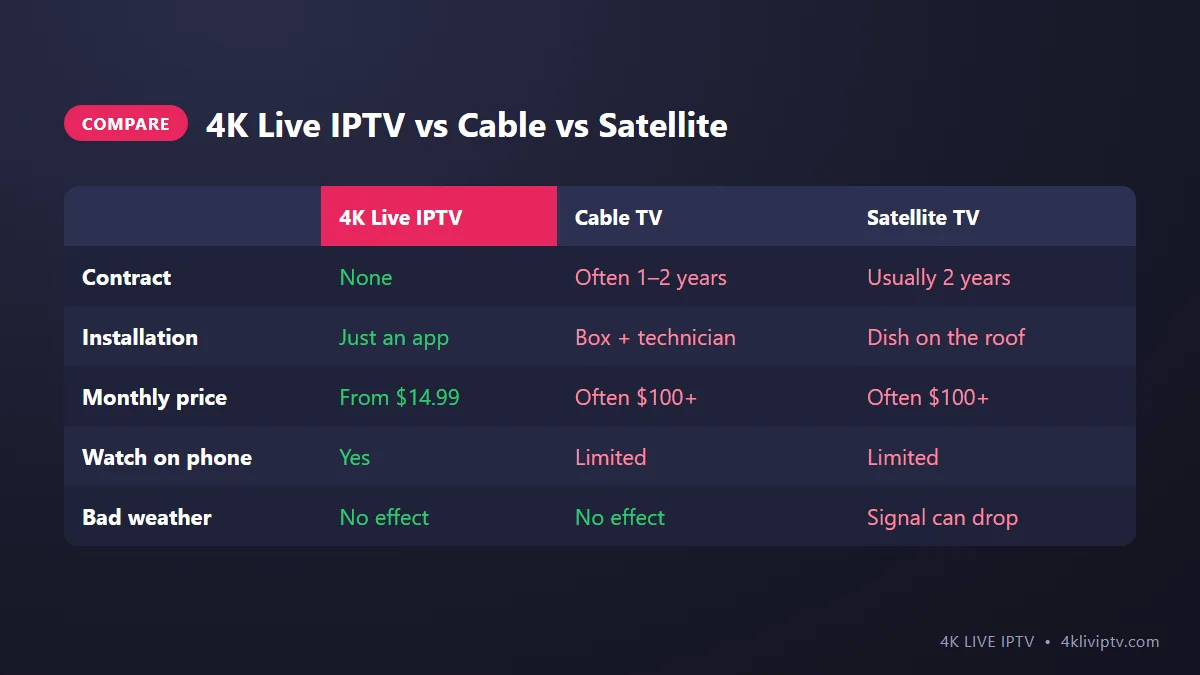
To be fair to cable, it has one real advantage: it does not depend on your internet speed. If your home internet is slow or unreliable, cable will feel more stable. With a decent connection, though, 4K Live IPTV gives you more channels, more flexibility and a much smaller bill.
What Can You Watch With 4K Live IPTV?
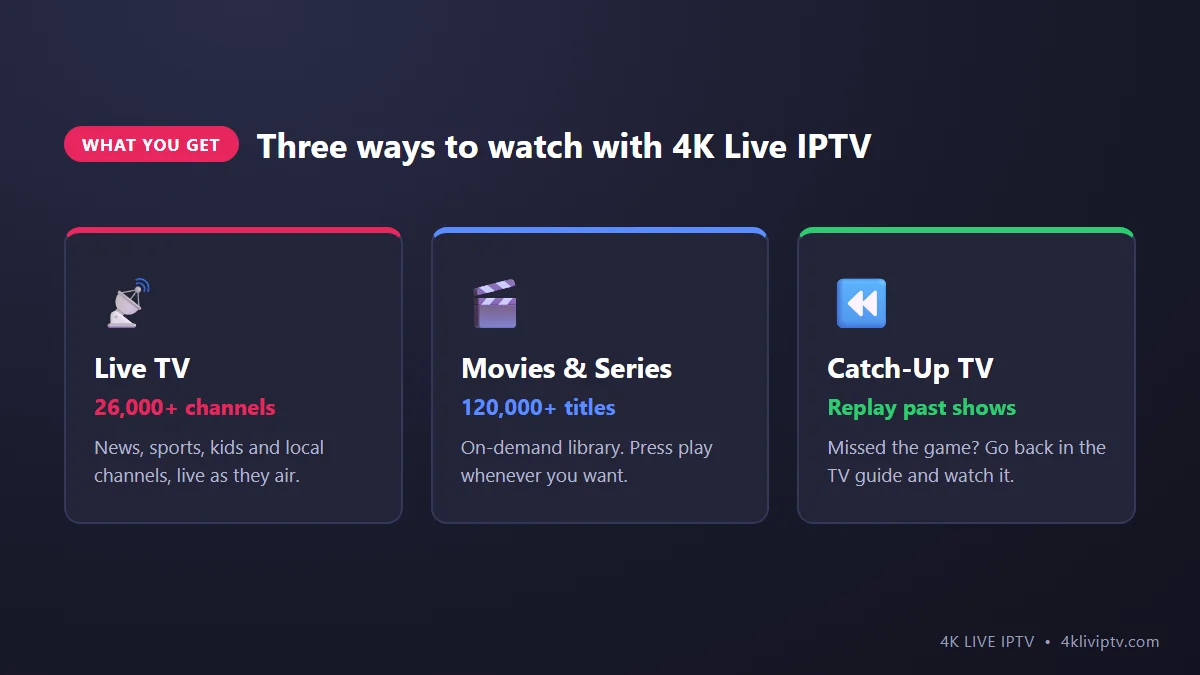
A 4K Live IPTV subscription usually gives you three things in one app:
- Live TV. Over 26,000 channels from the US and around the world: news, sports, kids, entertainment and local channels, playing live as they air.
- Movies and series on demand (VOD). A library of 120,000+ titles you can start whenever you want, a bit like Netflix.
- Catch-Up TV. Missed last night’s game or show? On channels with catch-up, you go back in the TV guide and press play. Our guide to using EPG and catch-up TV shows exactly how.
Is Everything Really in 4K?
No, and anyone who tells you otherwise is overselling. Here is the honest picture:
- Native 4K channels are mostly big live sports events, some movie channels and special broadcasts. These look noticeably sharper, especially on a TV of 55 inches or more.
- Most regular channels are broadcast in Full HD (1080p) or HD (720p). That’s how the channels themselves produce them, on cable too.
- Your setup matters. To see 4K, you need a 4K TV, a 4K-capable device and enough internet speed. A Fire TV Stick Lite, for example, tops out at Full HD no matter what you play on it.
So the “4K” in 4K Live IPTV means the service can deliver 4K where 4K exists, and your setup decides whether you actually see it.
What Do You Need to Get Started?
The good news: you probably own most of this already.
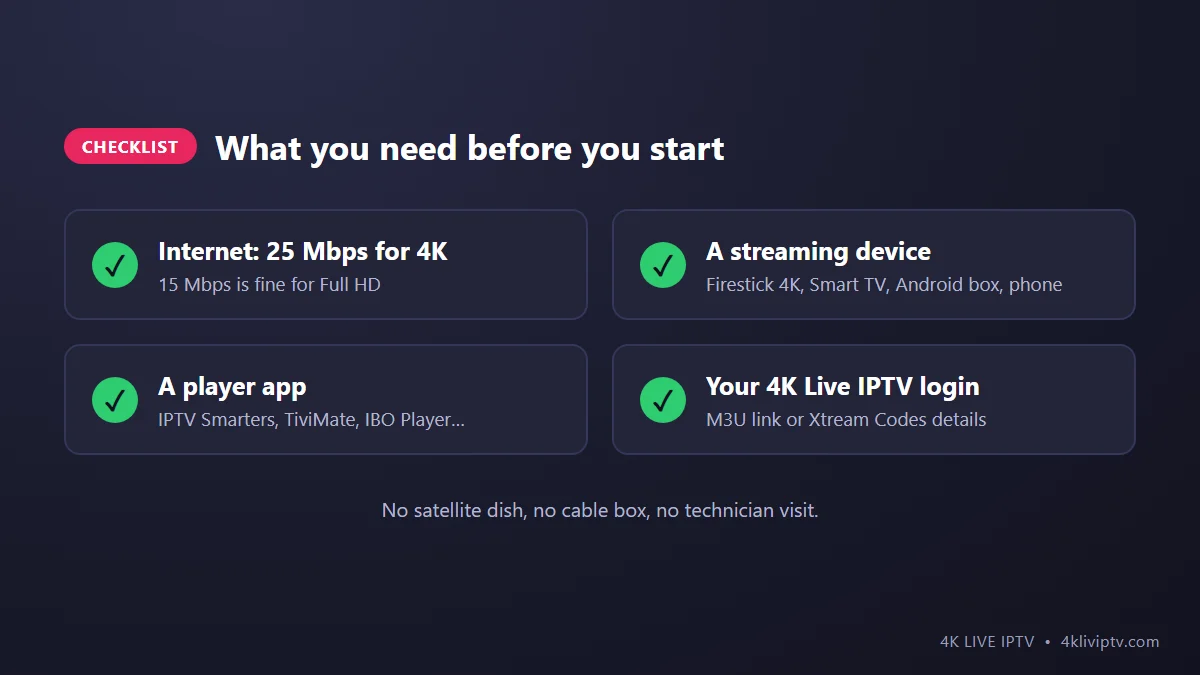
- Internet speed: about 25 Mbps for one 4K screen, 15 Mbps for Full HD. Test it on the device you watch with, not your phone next to the router. Our article on internet speed for 4K IPTV explains how.
- A streaming device: Fire TV Stick 4K or 4K Max, a Samsung or LG Smart TV, an Android TV box, Apple TV, a MAG box, or simply your phone or computer.
- A player app: IPTV Smarters Pro, TiviMate, IBO Player or similar. The app is just the “remote control” for the service. It does not come with channels on its own.
- Your 4K Live IPTV login: either an M3U link or Xtream Codes details (a username, a password and a server URL). Not sure which one to use? Read M3U vs Xtream Codes.
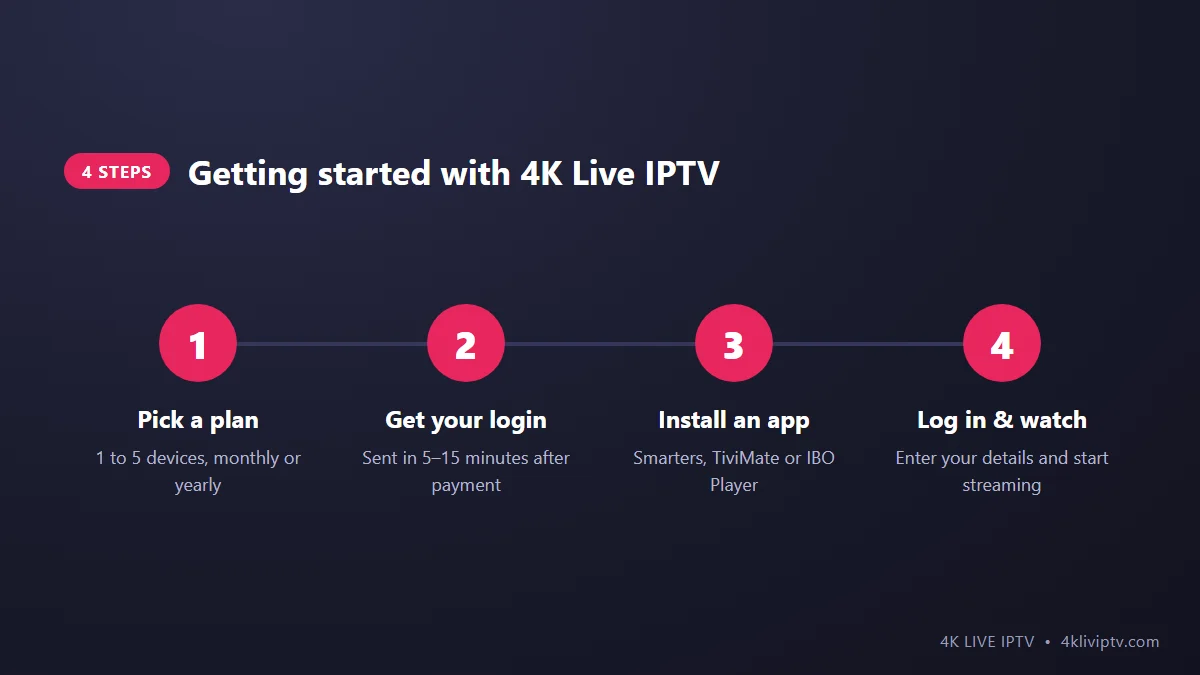
How to Start Watching 4K Live IPTV in 4 Steps
- Pick a plan. Choose how many devices you want to watch on at the same time (1 to 5) and how long you want the subscription. If you want to try first, there is a 24-hour test trial. See all options on the 4K Live IPTV pricing page.
- Get your login. Your details arrive in about 5 to 15 minutes after payment.
- Install a player app on your device. On a Firestick, follow our step-by-step Firestick installation guide. On a TV, check the best apps for Samsung and LG Smart TVs.
- Log in and watch. Enter your details, wait a minute for the channels and TV guide to load, and you are done.
If you get stuck at any step, the installation page covers every device, and our support team answers 24/7.
5 Mistakes Beginners Make With 4K Live IPTV
We help new customers every day, and the same problems come up again and again. Avoid these and your first week will be much smoother:
- Using Wi-Fi from the other side of the house. Your speed test says 300 Mbps, but the TV in the bedroom gets a fraction of that. An Ethernet cable, or at least the 5 GHz Wi-Fi band, fixes most freezing.
- Expecting 4K on a Full HD device. Check that your TV and your streaming stick both support 4K before judging the picture.
- Typing the login wrong. Server URLs are picky. One missing “http://” or an extra space and nothing loads. Copy and paste when you can.
- Never clearing the app cache. After a few weeks, a full cache makes channels slow to open. Clearing it takes 30 seconds. Our guide on fixing IPTV buffering shows where to find it.
- Using more screens than the plan allows. A 1-device plan means one stream at a time. If two people watch at once, one of them will be cut off. Pick a plan that matches your household.
Pros and Cons of 4K Live IPTV
What people like:
- Much cheaper than a typical cable or satellite package
- No contract, no cable box rental, no installation fee
- Works on almost every screen in the house, and on the go
- Live TV, movies, series and catch-up in one place
- Real 4K for big sports events on supported channels
What to keep in mind:
- It depends on your internet. A slow or unstable connection means buffering.
- Not every channel is in 4K. Most are Full HD or HD.
- There is a small learning curve the first time you set up an app.
Frequently Asked Questions
Is 4K Live IPTV the same as YouTube TV or Sling?
They use the same basic technology: TV delivered over the internet. The difference is mainly the channel lineup, the price and the apps you use. YouTube TV and Sling work only in their own apps, while 4K Live IPTV works with many different player apps and devices.
Do I need a Smart TV to use 4K Live IPTV?
No. If your TV has an HDMI port, a Fire TV Stick or an Android box turns it into a smart TV in a few minutes. You can also watch on your phone, tablet or computer.
Can I watch 4K Live IPTV outside my home?
Yes. Your login works wherever you have internet, on your phone or a laptop. Just remember the number of screens your plan allows at the same time.
Is IPTV legal in the US?
The technology itself is completely legal. Big companies like YouTube TV, Sling and Hulu + Live TV all use it. What matters is the provider and the content it carries, so it is always worth reading a provider’s terms before you subscribe. You can read ours on the terms of use page.
What happens if a channel stops working?
First restart the app and your device, then check your internet. If one specific channel still does not play, contact support with the channel name. Most issues are solved in minutes.
Final Thoughts
4K Live IPTV is simply TV for the streaming era: live channels, movies and catch-up in one app, on the devices you already have, without a contract or a cable box. If your internet is stable and you have a 4K TV, sports and movies look better than they ever did on cable.
The easiest way to see if it fits your home is to try it. Start with the 24-hour test or a 1-month plan on the 4K Live IPTV pricing page, and if you need help setting it up, message the team on WhatsApp. We are happy to walk you through it.
Need help with your IPTV?
Our team is available 24/7 to help you install and use your subscription on any device.
CONTACT US ON WHATSAPP