The device plugged into your TV matters more than most people think. The same 4K Live IPTV channel can open in one second on a good box and take five seconds on a slow one, and the TV guide can be smooth or painfully laggy. If you are buying something new, here is what we recommend, based on what works best for our customers day to day.
What Makes a Device Good for IPTV?
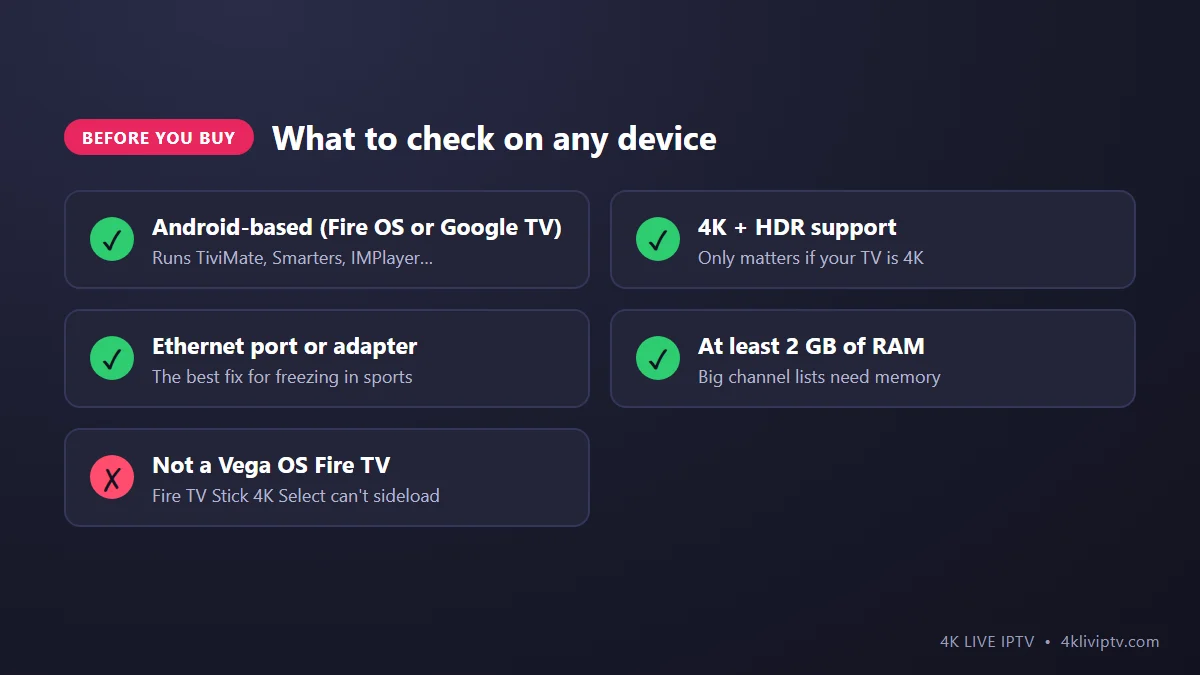
- It runs Android (Fire OS, Android TV or Google TV). That gives you every popular player, including TiviMate. Apple TV is excellent too, but uses different apps.
- Enough memory. A service with over 26,000 channels and a big TV guide needs RAM. Cheap, older sticks struggle.
- Ethernet. A cable is the single best fix for freezing during live sports. Built-in Ethernet is a big plus.
- 4K and HDR, if your TV supports them.
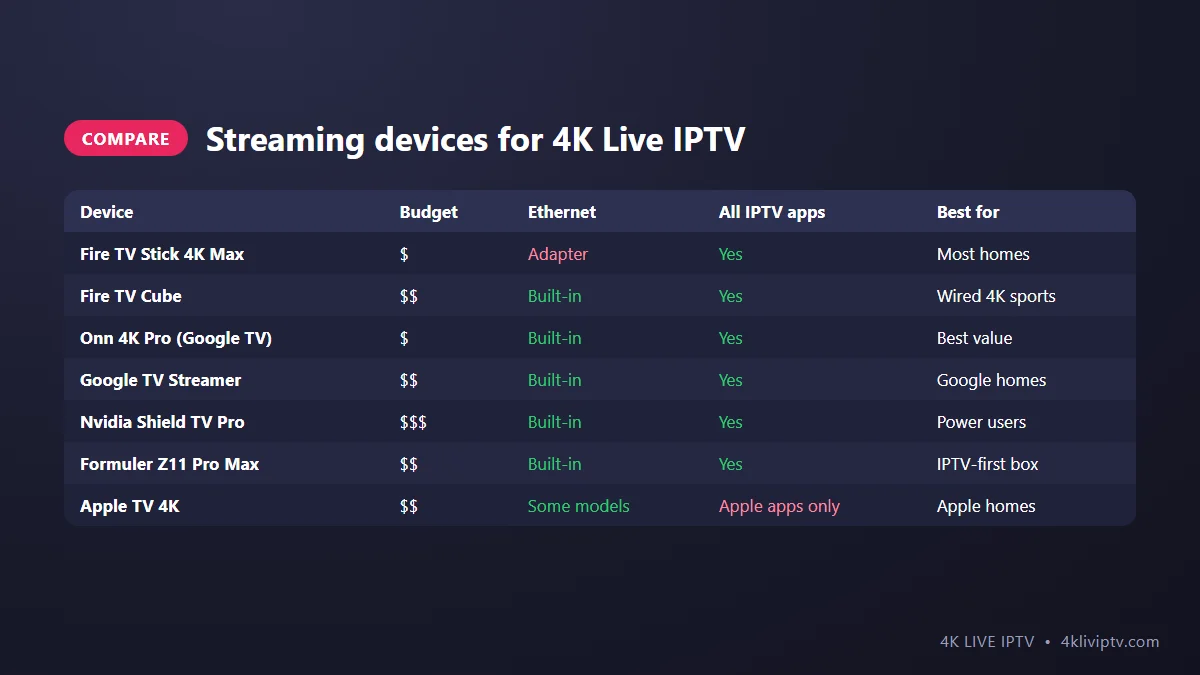
Fire TV Stick 4K Max: Best Overall
For most homes, this is the one. It is affordable, fast enough for TiviMate and Smarters with large playlists, supports 4K, HDR and Dolby Vision, and has Wi-Fi 6E. Setup is quick with our Firestick installation guide. Its one weakness is the lack of an Ethernet port, but Amazon sells an official Ethernet adapter that fixes that.
Fire TV Cube: Best Fire TV for Wired Setups
The Cube is the more powerful Fire TV, with built-in Ethernet and hands-free Alexa. If you watch a lot of 4K sports and your router is near the TV, it is a great choice. Everything that works on the Firestick works here.
Onn 4K Pro: Best Value Google TV Box
Walmart’s Onn 4K Pro runs Google TV, has an Ethernet port, more storage than most sticks and a remote with a finder function, all at a low price. TiviMate and other players install directly from the Google Play Store. Great value for 4K Live IPTV.
Google TV Streamer: Premium Google Option
Google’s own box replaced the Chromecast with Google TV. It is fast, has Ethernet and fits nicely into homes with other Google or Nest devices. It costs more than the Onn 4K Pro for a similar IPTV experience, so buy it if you also want its smart home features.
Nvidia Shield TV Pro: Best Performance
The Shield has been around for years and is still the most powerful Android TV box in most tests. Channel changes and guide scrolling are instant, and its AI upscaling makes HD channels look sharper on a 4K TV. It is expensive, but if you want the very best Android experience, this is it.
Formuler Z11 Pro Max: Built for IPTV
Formuler boxes are made specifically for IPTV. They run Android TV and come with MyTVOnline 3, a player designed for live TV with a strong guide and recording. If you want a box that feels like a cable receiver right out of the box, Formuler is a very good choice. We cover the setup in our Formuler guide.
Apple TV 4K: Best for Apple Homes
Excellent hardware and very polished apps like IPTVX and iPlayTV, but you cannot install TiviMate or the Android players. If your household already uses iPhones, it is a great option. See our Apple TV guide for apps and settings.
The One to Avoid: Fire TV Models With Vega OS
Amazon has started moving some new Fire TV devices, such as the Fire TV Stick 4K Select, to its new Vega OS. These devices only install apps from the Amazon Appstore, so you can’t install most IPTV players on them. Before buying a Fire TV, check that it runs Fire OS, or simply choose the Fire TV Stick 4K Max. We explain the issue in our Firestick troubleshooting guide.
Our Picks
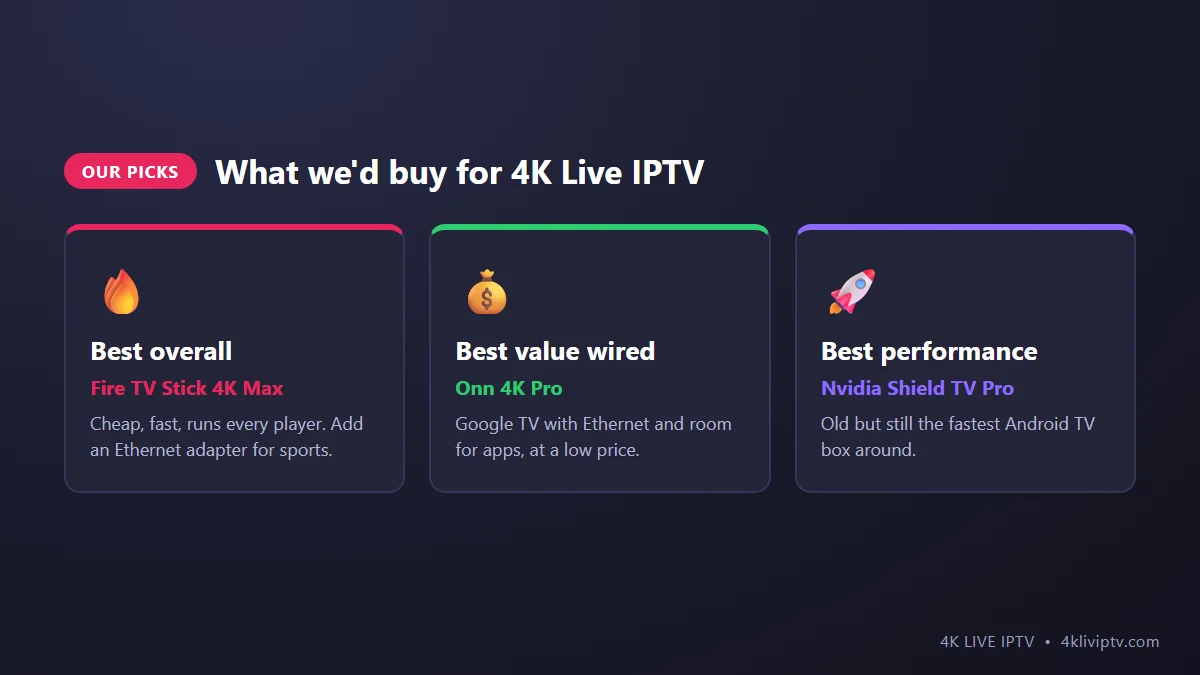
- Most people: Fire TV Stick 4K Max (add the Ethernet adapter if you watch sports).
- Best value with a cable port: Onn 4K Pro.
- Best performance: Nvidia Shield TV Pro.
- IPTV-first experience: Formuler Z11 Pro Max.
- Apple households: Apple TV 4K.
Do You Even Need a Device?
If you have a Samsung or LG Smart TV, you can install an app like IBO Player directly on the TV (see our Smart TV apps guide). It works, but TV processors are usually slower than a good stick, and you get fewer app choices. Many of our customers start on the TV and add a Firestick later for a faster, smoother experience. On Roku TVs, a stick is the only proper solution (more in our Roku guide).
Frequently Asked Questions
Is the Fire TV Stick Lite good enough?
For an HD TV and light use, yes. It is limited to Full HD and has less power, so for 4K channels and big playlists, the 4K Max is a much better buy.
Is Wi-Fi 6 important for IPTV?
It helps if your router also supports it. But a stable connection matters more than the Wi-Fi standard. A wired connection beats any Wi-Fi for live sports. Our internet speed guide explains what you need.
Can I use one device on two TVs?
You can move a stick between TVs, but it is easier to have one device per TV. Each device can use the same 4K Live IPTV login, within the number of connections in your plan.
Do these devices come with channels?
No. They are streaming devices. Your channels come from your 4K Live IPTV subscription, played through an app like TiviMate or Smarters.
Final Word
Choose an Android-based device with enough memory, add a cable connection if you can, and avoid the Vega OS Fire TV models. For most people, a Fire TV Stick 4K Max is all it takes to enjoy 4K Live IPTV at its best. Not sure what fits your TV and budget? Ask our team on WhatsApp before you buy.
Need help with your IPTV?
Our team is available 24/7 to help you install and use your subscription on any device.
CONTACT US ON WHATSAPP